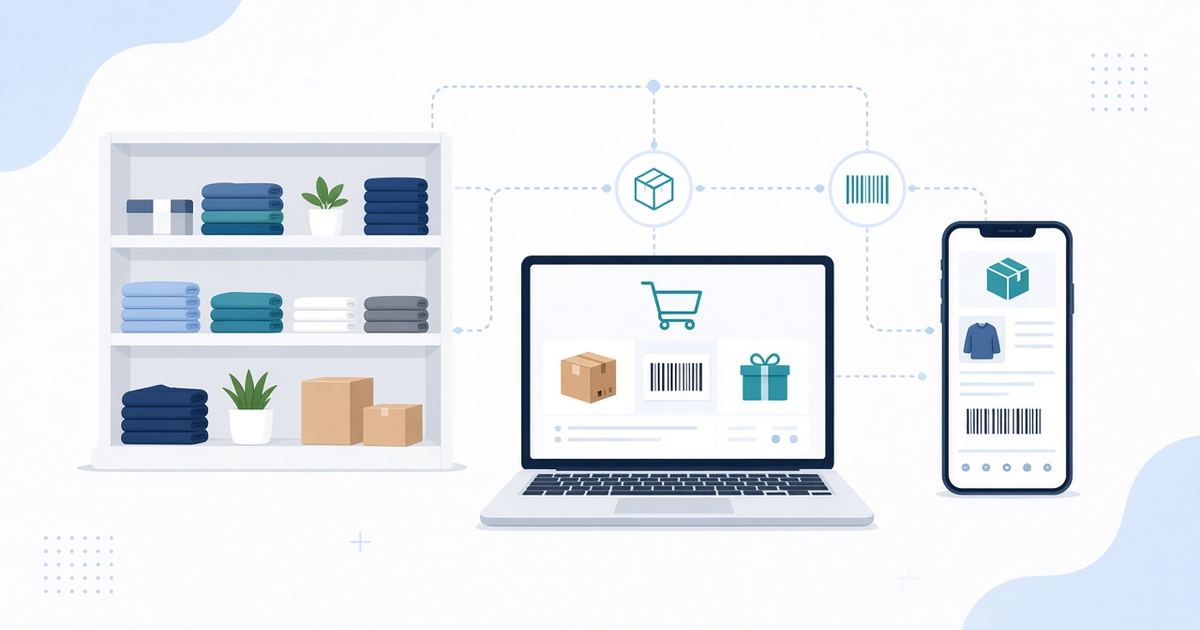
Omnichannel inventory treats every unit of stock as part of one shared picture, no matter which channel sells it or which location holds it. For multi-store retail, that shared picture is the difference between smooth fulfillment and daily chaos.
Why Omnichannel Inventory Matters for Multi-Store Retail
Shoppers no longer think in channels. They browse on a phone, buy for home delivery, or reserve for pickup at a nearby store. They return an online order to a different branch than the one that shipped it. Each path touches inventory. If your e-commerce site, POS, and warehouse systems disagree, the customer experience breaks first and the books break soon after.
A clear, near-real-time view of stock supports:
- Accurate availability on product pages and in-store lookups
- Reliable click-and-collect and ship-from-store promises
- Smarter transfers between locations before stockouts become lost sales
- Cleaner returns that put merchandise back into the right available pool
None of that requires a flashy dashboard. It requires a single source of truth for quantity, location, and reservation status.
Common Failure Modes That Create Chaos
Siloed POS and e-commerce
Many retailers grew online on a separate platform from their store POS. Each system keeps its own on-hand counts, often aligned only by nightly batch exports. A store can sell the last unit while the website still shows it in stock, or the site can accept an order against inventory a store already reserved for a walk-in customer.
Delayed sync
Even when systems are connected, slow sync windows leave a dangerous gap. Carts, pending payments, and in-store rings change availability within minutes. If updates travel only every few hours, overselling and phantom stock become normal rather than rare incidents.
Overselling and soft allocations
Without channel-aware reservations, two channels can claim the same unit. Soft allocations that never expire, or that expire too late, leave stock locked when it should be free—or free when it should be locked. The result is cancelled orders and associates hunting for products that no longer exist.
Returns and transfers treated as afterthoughts
Returns often land in a generic bucket instead of updating the correct location and sellable state. Transfers may be recorded only when the truck arrives, so neither origin nor destination shows accurate available-to-promise during transit. Those gaps quietly undermine every availability check upstream.
What a Practical Omnichannel Inventory System Should Include
You do not need every enterprise feature on day one. You need a design that prevents the failure modes above.
Unified stock ledger
Maintain one logical ledger per SKU and location, with clear states such as on-hand, reserved, in-transit, and unsellable. Channels should read from and write through that ledger rather than inventing their own counts. Receiving, cycle counts, and damage adjustments should update the same records the website and POS use.
Channel reservations
When a shopper adds an item to an online cart or an associate rings a sale, reserve the quantity against the chosen fulfillment location with a defined lifetime. Payment failures and abandoned carts should release reservations automatically. Pickup and ship-from-store flows should reserve at the fulfilling store, not against a vague company-wide pool.
Transfers and multi-location availability
Support transfer orders that reduce available stock at the source when goods leave and increase it at the destination when they arrive—or show in-transit quantity so planners can plan. Product pages can then offer honest options: deliver from the DC, pick up at Store A, or wait for a transfer into Store B.
Returns that restore sellable stock correctly
Map each return to a location and condition. A sellable return should increase available inventory where it was received; a damaged return should not. Online returns accepted in-store should update both the order system and the store ledger so the next availability check is already correct.
Build vs Extend: Choosing the Right Path
Off-the-shelf POS, e-commerce, and inventory products cover standard flows well. Limits appear when you run many stores, mixed fulfillment (BOPIS, ship-from-store, marketplace), or a legacy ERP that must stay in the loop.
- Extend existing tools with middleware, APIs, and scoped custom modules when the core platforms are solid and the gaps are integration and workflow.
- Build or heavily customize the inventory coordination layer when no vendor product can own the unified ledger without breaking store operations or reporting.
A custom or integration-led approach fits when you need a single reservation model across channels, near-real-time sync your current stack cannot deliver, or rules that packaged tools only approximate. The goal is one coherent stock story that every channel can trust—not greenfield for its own sake.
How Ascent24 Approaches Omnichannel Inventory Work
Ascent24 Technologies builds custom software, web and mobile apps, and cloud or SaaS solutions for retail and e-commerce teams that have outgrown siloed systems. Typical work includes integrating POS and online catalogs with a shared inventory service, reservation and transfer workflows, and warehouse or ERP connections so available-to-promise stays honest across locations.
Depending on your stack—React or Angular storefronts, Node or Python services, Flutter associate apps, and AWS, GCP, or Azure backends—we help you extend what still works and replace only what blocks a unified ledger.
If your online and in-store stock still disagree at the worst moments of the day, fix the ledger and the reservations—not just the symptom emails. Talk to Ascent24 about an omnichannel inventory approach that fits your stores and channels, or email us at info@ascent24.io. Our team responds within 24 hours.