Two recent Shopify announcements make this practical rather than theoretical:
- On 6 October 2026, Shopify's 2026 Global Holiday Retail Report (a survey of 18,000 consumers and 7,500 business leaders across nine markets) found that 65% of shoppers say they will use AI for at least one shopping task this season. In Shopify's summary, only about one-third said they trust an AI agent to buy on their behalf.
- On 13 October 2026, Shopify announced Shop MCP, a single connection that lets any compatible AI agent search Shopify Catalog (over 1 billion products), build carts and complete Shop Pay checkout after the shopper confirms the total and payment method.
How AI agents "see" your Shopify store
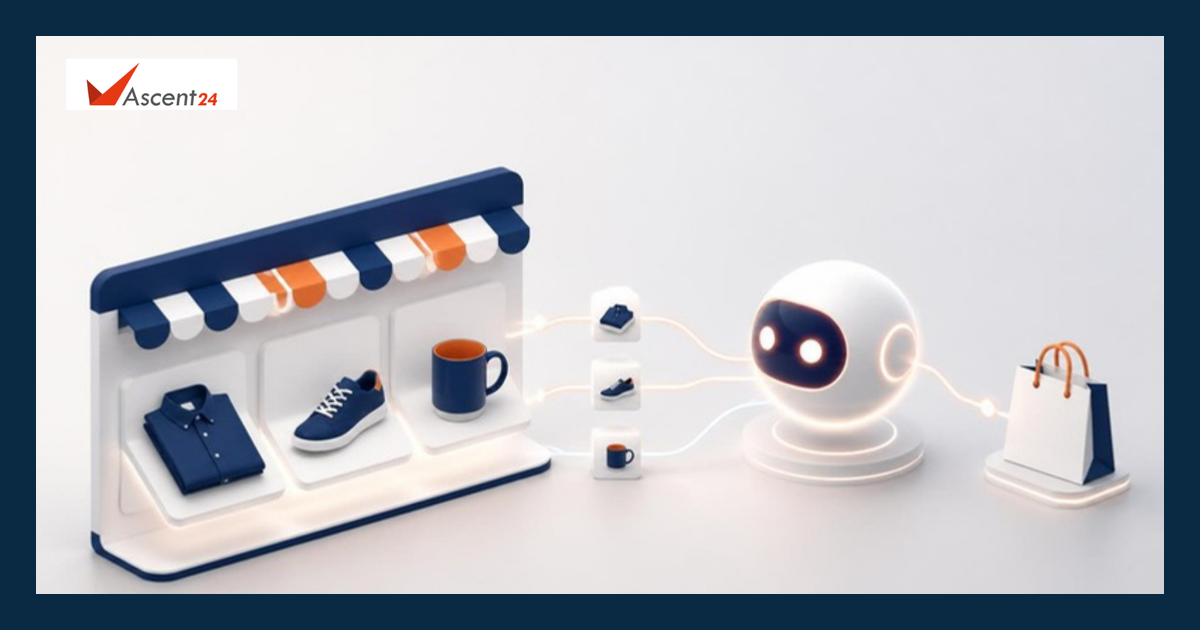
Agents mostly read structured product information, not your homepage design.
Shopify Catalog is the structured source most of these agents use. It gathers titles, descriptions, images, prices, options and availability from eligible products. If your store and products meet Shopify's requirements, they are included automatically. Shopify is clear that inclusion does not guarantee a product will appear in a specific AI answer or ranking; each AI channel decides what to show and how to word it.
Shopify's "agentic storefronts" put that catalog data in front of shoppers in AI channels such as ChatGPT, Microsoft Copilot and Google AI Mode. They are on by default for eligible stores and are managed from Sales channels > Agentic in your Shopify admin.
A practical readiness checklist
1. Write product titles an agent can understand
Use what the product is, who it is for and its key attribute, for example "Cotton kurta for women, block print, regular fit", not "Summer Bliss 02". Agents match shopper descriptions to plain words.
2. Make descriptions answer real questions
Shopify's own guidance is to keep product information clear, complete and up to date. Cover material, size or dimensions, care, what is in the box and who the product suits. Shopify's report notes that shoppers want proof of value, not just a lower price, and an agent can only repeat the case your page already makes.
3. Clean up variants, categories and stock
Duplicates, inconsistent size labels and stale inventory confuse shoppers and agents alike. Assign the correct product category, keep options consistent ("S, M, L" everywhere) and make sure stock levels sync if you also sell offline or on marketplaces.
4. Complete your store policies
For the ChatGPT channel, Shopify requires your Terms of service, Privacy policy and Return and refund policy to be completed in Settings > Policies. Clear shipping and return terms also help a shopper trust an unfamiliar brand they found through AI.
5. Know which channels apply to you
Eligibility differs by channel. For example, the ChatGPT channel requires your store to sell to customers in the United States (the store itself can be based elsewhere), and ChatGPT sends shoppers to your own online store checkout. An India-only store should check eligibility before expecting traffic from a given channel.
6. Decide what you want to share
If you prefer control, turn off "Allow Shopify to manage for me" under Sales channels > Agentic and choose access channel by channel. Shopify notes that switching off Catalog access can take up to seven days, and products may still be found through normal web crawling.
7. Measure AI-referred visits
Check your analytics for referrals from AI assistants and watch which products they land on. Treat early numbers as a signal, not proof; the sample will be small at first.
Common mistakes
- Assuming the agent will "figure it out". It works from your data. Thin descriptions produce thin answers.
- Chasing a ranking trick. No setting guarantees placement in an AI answer. Accurate, complete data is the controllable part.
- Ignoring post-purchase basics. An agent can send a shopper to you, but delivery, returns and support still decide whether they come back. Our guide on cutting RTO and COD returns covers that side.
For the basics, see why Shopify suits many ecommerce brands and common ecommerce store mistakes.
Where Ascent24 can help
Ascent24 builds online stores, ecommerce apps and integrations for retail and D2C businesses, including connecting store data with inventory and back-office systems so product information stays accurate across channels.
Want a second pair of eyes on your store's product data before the holiday rush? Message us on WhatsApp, call +91 96558 70024 or email info@ascent24.io, and we can review a sample of your catalogue and suggest practical fixes.
Frequently asked questions
Do I need to install an app for AI agents to find my Shopify products?
No. Shopify says agentic storefronts are active by default for eligible stores, and eligible products are included in Shopify Catalog automatically.
Can an AI agent buy from my store without the shopper approving?
According to Shopify's Shop MCP announcement, the agent completes checkout only after the shopper confirms the total and payment method.
Sources
- Shopify, "Welcome to the first holiday season of the agentic era" (6 Oct 2026): https://www.shopify.com/news/agentic-holiday-2026
- Shopify, 2026 Global Holiday Retail Report: https://www.shopifyholidayretail.com/
- Shopify Developers changelog, "Add shopping and Shop Pay checkout to any agent with Shop MCP" (13 Oct 2026): https://shopify.dev/changelog/posts/add-shopping-and-shop-pay-checkout-to-any-agent-with-shop-mcp
- Shopify Help Center, Shopify Catalog: https://help.shopify.com/en/manual/shopify-catalog
- Shopify Help Center, Selling on ChatGPT: https://help.shopify.com/en/manual/online-sales-channels/agentic-storefronts/chatgpt
- Shopify Help Center, Managing agentic storefronts: https://help.shopify.com/en/manual/online-sales-channels/agentic-storefronts/agentic-home